No need to retype
One click brings your text back to what you meant to write.

Fix text in one click — without losing your flow.
For macOS 11+ · Lightweight and fast · No credit card
What you type stays with you. No text ever leaves your Mac.
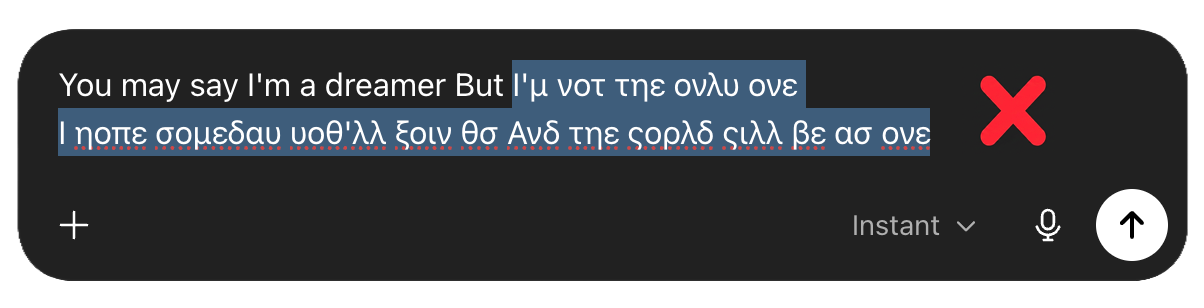
The message is ready. You're about to send,
and then… All gibberish.
 fixes it.
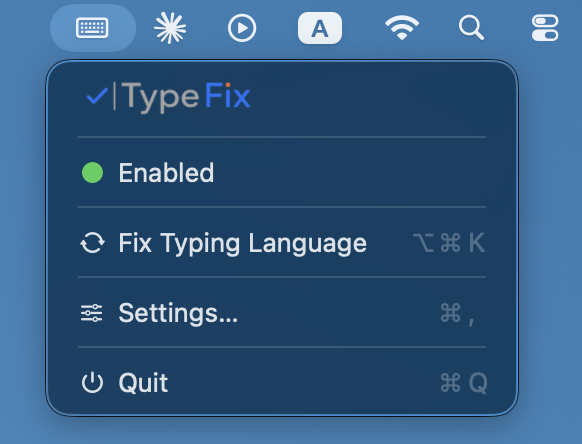
Select the text you want to fix. Selected nothing? TypeFix fixes all the text.
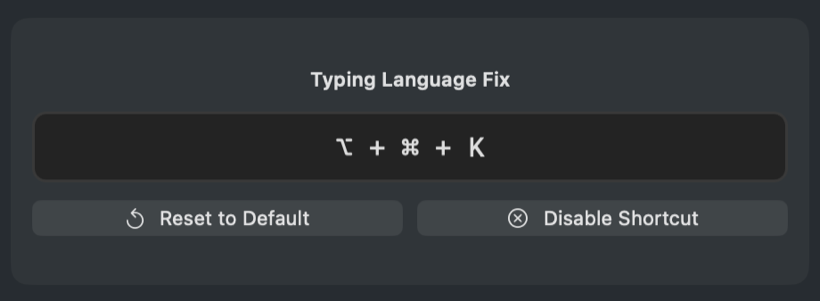
The default is ⌃⌥K,
you can change it to whatever suits you.
And that's it.
A one-time macOS permission is required. Everything you write stays on your Mac.
One click brings your text back to what you meant to write.
Fix the text and keep typing. TypeFix automatically switches to the correct typing language.
Anywhere you write on your Mac. Mail, WhatsApp, ChatGPT and more.
What you write stays with you. No cloud. No servers.
No internet connection needed.
Just 11.4MB. No wasted resources.
Ready to work on Intel and Apple Silicon.
Pick the keyboard shortcut that suits you.
Not on a server. Not in the cloud. Not with us.
Only on your Mac.
Conversion happens right on your Mac, with no servers and no cloud.
What you write is never sent, stored, or shared with any third party.
Every feature is available even with no network connection.
Gibberish looks different in every language.
TypeFix knows what you meant to write.
29 languages and 92 keyboard layouts supported.
| # | Language | |
|---|
Your text never leaves your Mac · 100% local · no servers
No subscription.
No monthly fee.
One license for two Macs, with release and transfer options.
Buy a licenseYes.
All fixing happens on your Mac. Your text is never sent to servers or the cloud.
Almost anywhere you can type on your Mac: browsers, Office, mail, chats, and text editors.
A small number of apps with a unique text mechanism may have limitations.
Because fixing the text is only half the solution.
After the fix, TypeFix can automatically switch to the correct typing language, so you can keep writing without stopping and without changing the language manually.
The option is off by default, so you can see and feel how TypeFix works before it changes your typing language automatically.
Once you get used to it, most users prefer to turn it on to stay in their flow.
So TypeFix can read and fix the text right where you wrote it.
It's a standard macOS permission required for this.
 Full install guide
Absolutely. TypeFix works with several languages at once and, in most cases, detects which language the gibberish came from — with no need to pick a language first.
The app supports 29 languages and 92 different keyboard layouts.
No.
TypeFix fixes the text right where you wrote it — no copying, no pasting, and no switching apps.
TypeFix was built for Mac first, but a Windows version is already in development.
Join the waitlist and we'll let you know the moment it's available — including a download link and a 7-day free trial.
Yes.
One license gives you lifetime use on up to two Macs.
You can transfer the license to a new Mac, and software updates are included through the built-in updater.

Installand
don't let the keyboard stop you.
7 days free. No commitment.
Download TypeFixTypeFix is a Mac app — the Windows version is on the way.
Email yourself the link for your computer.
Installing TypeFix takes under a minute.
Have a Mac?
For macOS 11+ · 11.4MB
Already convinced? Buy a license for $9.99 →